
Chatbot AI - Search Assistant
Codespace DijitalProductivity
4.43.72K Reviews
- Version
- 3.1.5
- Installs
- 10.00M
- Age Rating
- Everyone
Screenshots
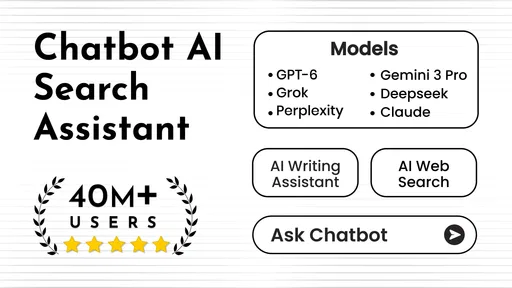
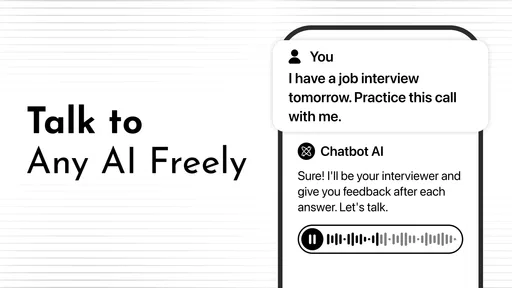
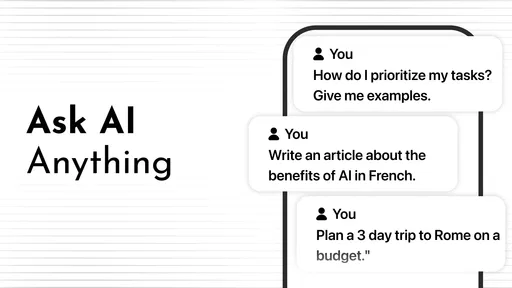
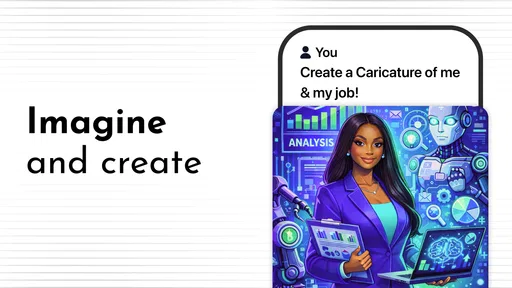
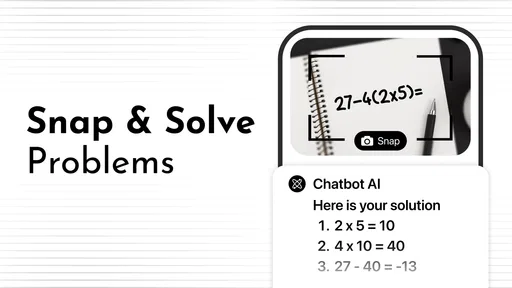
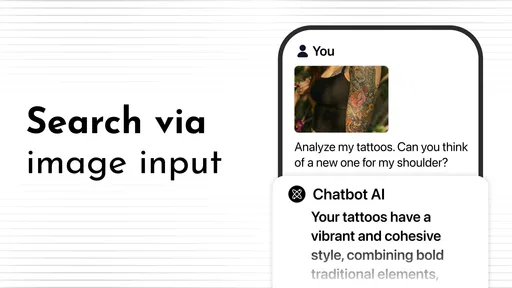
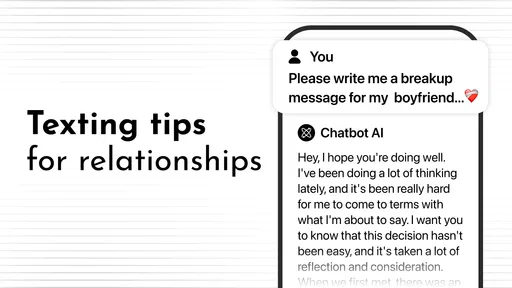
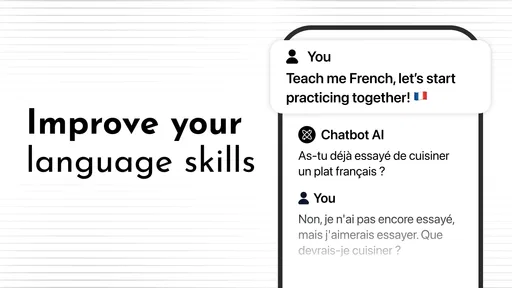
Our Review of Chatbot AI - Search Assistant
 Analysis by Appyee
I’d approach this app as a convenient place to ask questions and explore ideas, rather than as a replacement for every tool on my phone. Its appeal is the mix of chatbot-style help, search, web browsing and generators in one productivity app. If you’re new to AI assistants, the easiest way to get a useful first result is to start with a practical question you already have, then refine it if the answer is too broad.
A useful first task beats a complicated setup
For a first run, I’d keep the request small and specific: ask for a plain-language explanation of a term, a short comparison, or a few ways to organize a task. That gives you a quick feel for how the assistant responds without requiring you to learn a special command style. If the first answer misses the point, add one constraint in a follow-up—such as the audience, preferred length, or situation—instead of starting over with a completely different prompt.
That small habit matters because a conversational answer is not automatically a dependable one. I treat the first response as a draft or starting point, especially when the question involves a detail I’ll act on. For anything time-sensitive or consequential, I check the relevant web results and make sure the information fits my situation. The app is most useful when it helps me get oriented quickly, not when I ask it to make an important decision for me.
Where it fits into a normal day
Imagine you have a few minutes before a meeting and need to turn a messy set of thoughts into a clear outline. You can describe the topic, who the outline is for, and how much time you have, then ask for a structure you can edit. The benefit is not that the assistant knows your work better than you do; it is that it can give you a first shape to react to. I’d still review every point, remove anything that doesn’t belong, and add the details only I know.
The same approach works for everyday planning. If you’re comparing options for a weekend activity, for example, ask for a short list of factors to consider and then use search to check current details yourself. This is a more reliable workflow than treating a fluent answer as proof. It also keeps the assistant in a sensible role: helping you frame a question and get moving, while leaving judgment and verification with you.
Who is likely to get the most from it?
I can see this being useful for people who regularly switch between quick research, drafting and brainstorming, and would rather begin in one conversational interface than open several tools immediately. It can also suit someone who is curious about AI but doesn’t want to learn prompt engineering before trying a simple request. The short path from question to follow-up makes experimentation feel approachable.
On the other hand, if you already have a search app that gives you the sources and controls you need, or a writing tool tailored to a specific professional workflow, this may not add enough to justify changing habits. It’s also not the right choice if you expect every answer to be correct without checking it, or if you need a specialist tool with precise controls. A general assistant is convenient, but convenience and authority are not the same thing.
Getting Started with Chatbot AI
First things first, downloading and setting up Chatbot AI - Search Assistant is a breeze. Available on both Android and iOS, you just need to find it on the app store, hit that download button, and voila! You’re ready to go. The installation process is as smooth as butter, taking just a couple of minutes.
Once installed, the app greets you with a neat interface. It’s not cluttered, which I appreciate because who needs more chaos in their life, right? It’s simple, intuitive, and anyone can navigate it without feeling overwhelmed. The developers have clearly put some thought into making this user-friendly.
Features That Stand Out
Now, let’s talk features. What sets this app apart is its ability to understand and process natural language. You don’t need to type in robotic commands; just talk to it like you would with a friend. The AI is surprisingly adept at handling a variety of queries, from simple math problems to more complex information searches.
One of the coolest features is the real-time search capability. You ask a question, and boom, it pulls up the latest information from the web. Need to know the weather for the weekend or the score of last night’s game? It’s got you covered. The AI scans multiple sources to ensure you get accurate and up-to-date responses.
Another handy tool is the app’s ability to integrate with other apps. Whether you need to set a reminder, send a message, or check your calendar, the assistant can seamlessly connect with your other apps to get the job done. It’s like having a personal assistant who’s always on call.
Performance and User Experience
Performance-wise, this app is a powerhouse. I haven’t experienced any lag or crashes, which is a big plus. It’s responsive and quick, making the whole experience quite enjoyable. The developers have done a stellar job in optimizing the app for smooth operation across different devices.
The user experience is further enhanced by the AI’s ability to learn from interactions. Over time, it gets better at understanding your preferences and patterns. It’s like having a friend who knows you better with each conversation. This personalization aspect is a game-changer, making the app not just a tool, but a companion.
Room for Improvement
While Chatbot AI - Search Assistant is impressive, there’s always room for improvement. I noticed that sometimes the AI struggles with very specific or niche queries. It’s not a deal-breaker, but it’s something to keep in mind. Also, while the app is generally intuitive, a few more customization options could make it even better. Who doesn’t love personalizing their tech toys?
Another area that could use a bit of work is the voice recognition feature. It’s generally good, but there are moments where it doesn’t quite catch what I’m saying, especially in a noisy environment. A little tweaking here and there could make a world of difference.
Final Thoughts
All in all, Chatbot AI - Search Assistant is a fantastic app for anyone looking to streamline their digital life. It’s practical, efficient, and a joy to use. Whether you’re a tech newbie or a seasoned pro, this app has something to offer.
If you’re in the market for a virtual assistant that’s more than just a gimmick, give this one a shot. It might just become your new favorite app. Just head over to the app store, download it, and start exploring. You won’t be disappointed!
How I’d make the first week count
I would test the app with three different kinds of request rather than judging it from one impressive answer: a question with a straightforward answer, a request to organize or rewrite something, and a topic where current web information matters. This gives a more realistic sense of whether the conversational style suits you and where search adds value. Keep the prompts ordinary at first; if you get stuck, explain what you want the result to help you do.
A practical trick is to ask for a format you can use immediately. For example, instead of asking for general advice about preparing for a busy day, request a short checklist organized by what must happen first. For a draft, specify whether you want a friendly message, a neutral summary, or a compact outline. These small instructions can make an answer easier to evaluate and edit, without pretending that the assistant already knows your preferences.
Search, chat and dedicated tools
Compared with a conventional search engine, a chatbot can be more comfortable when you don’t yet know the right keywords or want to ask a follow-up in ordinary language. Search is still preferable when you want to inspect sources directly, compare several pages yourself, or verify a current claim. I see the strongest workflow as a handoff: use conversation to clarify what to look for, then use browsing and your own judgment to check the details.
Compared with a dedicated notes, calendar or messaging app, a general assistant may help you think through wording or break a task into steps, but it should not automatically become the place where important records live. The published feature description points to connections with other apps, yet actual actions can depend on the device and the permissions or integrations available. I’d check what the app can genuinely do on my phone before relying on it to send, schedule or save anything. If a task needs dependable reminders or a shared team record, the established app built for that job remains the safer choice.
Questions worth settling before relying on it
Is it free to try? The app is free to download, while optional in-app purchases are offered, ranging from $4.99 to $69.99 per item. I’d explore the basic experience first and only consider paying if I understand what an upgrade adds and expect to use it. Since purchase options can affect the overall value, check the current in-app purchase screen before committing rather than assuming every capability is included at no cost.
Will it work on an older phone? The current version is 3.0.24, and the minimum Android requirement is 7.0. It is listed for everyone, which makes it broadly accessible, though the experience can still vary with a device’s age and operating system. The app is from Codespace Dijital; on the store, its average is 4.4 from around 849,000 ratings, with more than 10 million installs. Those figures suggest wide use, but they don’t tell me whether its particular answers will suit my needs.
What should I do when an answer seems confident but oddly specific? I would ask it to clarify the assumptions behind the response, then verify important facts through the web results or a reliable source relevant to the question. If it still gives a vague or mismatched answer, narrow the request or switch to a specialist source. That is a better use of an AI assistant than repeatedly rephrasing the same question and hoping confidence turns into accuracy.
My recommendation for a cautious first try
Chatbot AI - Search Assistant makes the most sense to me as a low-friction starting point for people who want to ask, draft, and investigate from a conversational interface. Its productivity value depends less on treating it like an all-knowing helper and more on using it as a first pass: define the task, request a usable format, and check claims that matter. If you want to try AI without rebuilding your whole routine, install it, give it one modest real task, and decide from the result whether it earns a place alongside the tools you already trust.
Verdict
Strengths of Chatbot AI - Search Assistant
- Intuitive interface for seamless navigation.
- Real-time responses enhance user experience.
- Supports multiple languages for global use.
- Customizable settings to suit user preferences.
- Integrates smoothly with other apps.
Limitations of Chatbot AI - Search Assistant
- Limited offline capabilities restrict usage.
- Occasional lag in response time.
- Requires stable internet for optimal performance.
- Some features locked behind a paywall.
- May struggle with complex queries.
Similar Picks in This Category
View All
Google Calendar
Google LLC4.6

Google Drive
Google LLC4.3

Google Assistant
Google LLC3.9

Microsoft OneDrive
Microsoft Corporation4.6

Samsung Calendar
Samsung Electronics Co., Ltd.4.1

Microsoft OneNote: Save Notes
Microsoft Corporation4.6
Frequently Asked Questions
What features does Chatbot AI - Search Assistant offer?
Chatbot AI - Search Assistant provides users with an array of features including voice command recognition, real-time search capabilities, and personalized suggestions. It integrates with various platforms and offers seamless connectivity to improve productivity and efficiency in finding information quickly. The app also supports multiple languages and offers a user-friendly interface.
Is Chatbot AI - Search Assistant secure to use?
Yes, Chatbot AI - Search Assistant prioritizes user security by implementing robust encryption protocols to protect user data. It ensures that personal information is not shared with third parties without consent. The app routinely updates its security measures to safeguard against potential threats and vulnerabilities.
Does Chatbot AI - Search Assistant require an internet connection?
Yes, the app requires a stable internet connection to function optimally. This is necessary for accessing real-time information and providing up-to-date search results. However, some features may be available offline, such as saved searches and personalized settings, which can be accessed without connectivity.
How does Chatbot AI - Search Assistant integrate with other apps?
Chatbot AI - Search Assistant integrates seamlessly with various apps and services, enhancing its functionality. It can connect with calendars, emails, and social media platforms to provide comprehensive search results and assist in scheduling tasks. This integration is designed to streamline workflows and improve user productivity.
Is Chatbot AI - Search Assistant suitable for all ages?
While Chatbot AI - Search Assistant is designed to be intuitive and easy to use for most age groups, it is primarily targeted towards adults and professionals. The app includes advanced features that may require some understanding of technology. Parental guidance is recommended for younger users to ensure appropriate use of the app's functionalities.
